This year Gabriel and I were fortunate enough to attend the EPPC in Vienna! 4 days full of knowledge to be gained about the latest and greatest new features, best-practices, tips and tricks regarding the Power Platform. There was too much of an information overload to reflect on each topic, but we do want to share our personal highlights. Let’s get into it!
1. New Plan Designer Features: Smarter Planning with AI
Also See: Use Plan designer to create AI-Powered business solutions with Copilot – Power Apps | Microsoft Learn
2. Describe a Page: Natural Language Meets UI Design
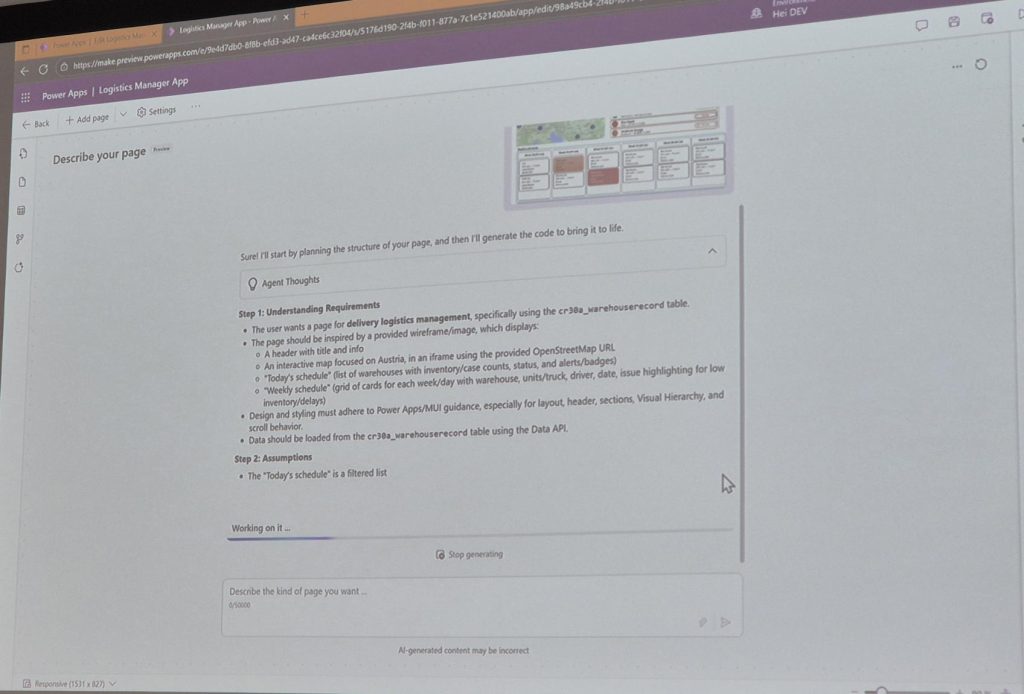
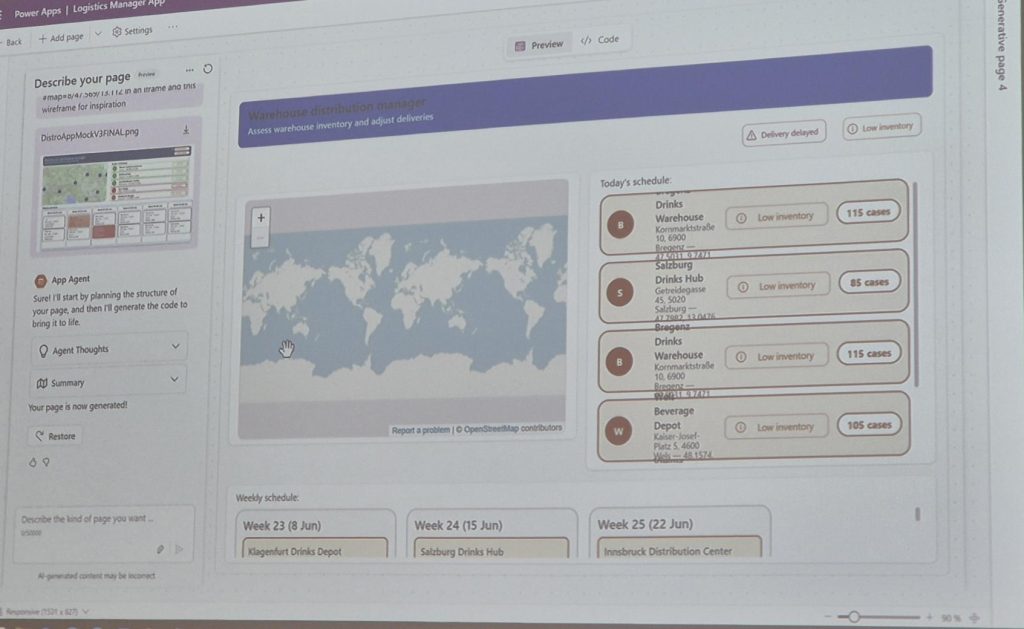
“Describe a Page” was not only one of ours but also a crowd favorite. This new feature allows users to generate Power Apps pages simply by describing what they want in natural language. Whether it’s “a form to collect customer feedback” or “a dashboard with sales KPIs,” the platform now interprets these prompts and builds the layout automatically. Currently we do a lot with Custom Pages or embedded Canvas Apps, this new feature will most likely change that.
Also see the terrible pictures we took below 😉
On the left side a description was given which resulted in the page you see on the right of course, as with every other agent, it will probably not be perfect on this first try. Work with the agent to improve on the design and you will have a great looking functional page in no-time.
3. Model Context Protocol: The Backbone of Agent Collaboration
In the keynote “Building the Agentic Data Platform for Tomorrow’s Business,” Microsoft introduced the Model Context Protocol (MCP). An MCP server in the context of Copilot Studio refers to a Model Context Protocol server, which enables seamless integration between AI agents and external data or APIs. It allows developers to connect Copilot Studio agents to real-time data sources, automatically syncing actions and knowledge without manual prompt engineering. This drastically simplifies the process of building and maintaining agents.
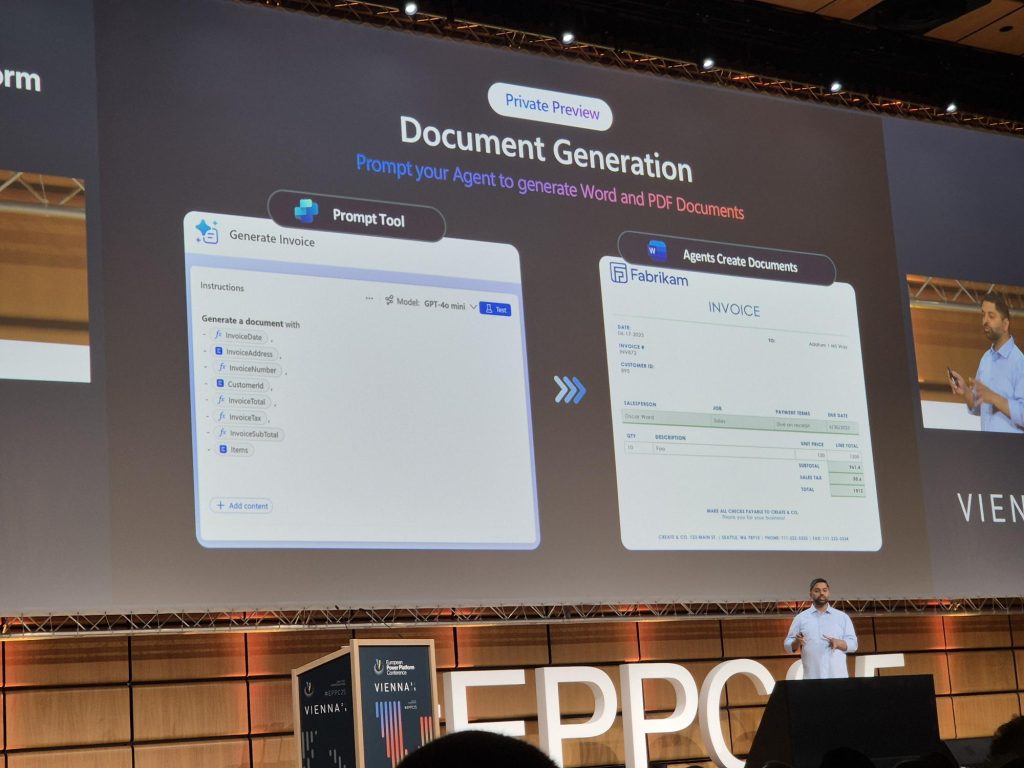
4. Create Word Documents from within AI Builder
AI Builder will soon support native Word document generation. This means users can automate the creation of contracts, reports, and letters directly from Power Automate flows or AI-driven apps. The demo showed how a sales proposal could be generated from CRM data and styled using a Word template—all from with AI Builder. Yes; we could already do this with the ‘Populate a Word document’ action within Power Automate, but with the power of AI we can get all the values for the fields from the context of an e-mail. This saves us from the tedious task of having to extract those values ourselves and store them in for example SharePoint or Dataverse first.
5. Model Driven App Data Exploration Agent
See also: Data exploration agent in Model-driven apps – Power Community
6. Copilot Studio Kit: Build, Extend, and Deploy Agents
The Copilot Studio Kit is not something new but does deserve a mention here. It provides a comprehensive toolkit for building custom AI agents, integrating them into apps, and managing their lifecycle. With support for Agent Feeds, telemetry, and governance, the kit empowers organizations to scale their AI initiatives responsibly.